'%3e%3cpath%20fill-rule='evenodd'%20clip-rule='evenodd'%20d='M0%2062.3176C0%2027.9001%2027.8995%200.00181961%2062.3134%200.00181961L62.3999%2062.2311C62.3999%2096.6462%2034.5004%20124.544%200.0852901%20124.544'%20fill='%233A3D3C'/%3e%3c/g%3e%3cpath%20d='M62.3994%2062.2461V0C96.8133%200%20124.713%2027.8982%20124.713%2062.3158'%20fill='url(%23paint0_linear_6331_3458)'/%3e%3cpath%20fill-rule='evenodd'%20clip-rule='evenodd'%20d='M45.617%2026.2827C47.7276%2026.2827%2049.4382%2027.9933%2049.4382%2030.1052C49.4382%2032.2146%2047.7276%2033.9252%2045.617%2033.9252C43.5064%2033.9252%2041.7958%2032.2146%2041.7958%2030.1052C41.7958%2027.9933%2043.5064%2026.2827%2045.617%2026.2827Z'%20fill='%23F9F6EF'/%3e%3cpath%20fill-rule='evenodd'%20clip-rule='evenodd'%20d='M45.6168%2045.2338C37.2596%2045.2338%2030.4857%2038.461%2030.4857%2030.1038C30.4857%2021.7454%2037.2596%2014.9702%2045.6168%2014.9702C53.9753%2014.9702%2060.7492%2021.7454%2060.7492%2030.1038C60.7492%2038.461%2053.9753%2045.2338%2045.6168%2045.2338ZM45.6168%2012.6686C35.9875%2012.6686%2028.1816%2020.4744%2028.1816%2030.1038C28.1816%2039.7308%2035.9875%2047.5378%2045.6168%2047.5378C55.245%2047.5378%2063.0508%2039.7308%2063.0508%2030.1038C63.0508%2020.4744%2055.245%2012.6686%2045.6168%2012.6686Z'%20fill='%23FECE01'/%3e%3cdefs%3e%3clinearGradient%20id='paint0_linear_6331_3458'%20x1='62.2719'%20y1='4.01754'%20x2='108.703'%20y2='70.5262'%20gradientUnits='userSpaceOnUse'%3e%3cstop%20stop-color='%239ED5CB'/%3e%3cstop%20offset='1'%20stop-color='%23FCE18E'/%3e%3c/linearGradient%3e%3c/defs%3e%3c/svg%3e)
Embed an AI Chat
Target Audience: Developers
Goal
Embed a self-service AI chat from Toucan AI into a host application to enable conversational analytics.
Prerequisites
- At least one connected and active database.
- A valid API key for token generation.
- (Recommended): Metadata confirmed after AI analysis review to improve the AI assistant's accuracy.
- (Recommended): Row-Level Security (RLS) configured for multi-tenant data isolation.
Steps
1. Prepare the data layer
- Execute an AI analysis on your datasets, then review and confirm proposals so semantic metadata is applied.
- Review column descriptions and metric definitions to ensure the AI assistant has sufficient context.
- High-quality metadata directly improves the relevance of natural language answers.
2. Configure security and RLS
- Define required token attributes (e.g.,
customer_idorregion). - Map these attributes to specific dataset columns using the RLS interface.
- Validate the configuration with different attribute values to confirm data isolation.
3. Generate an authentication token
- Generate a token including all necessary user attributes.
- Set an appropriate expiration time for the session.
- Ensure the token scope includes permission for the AI assistant capability.
4. Retrieve the embed code
- Locate the embed snippet in your admin panel or use the following standard web component format:
<script type="module" src="https://toucanai.cloud/embed/embed.js"></script>
<link rel="stylesheet" href="https://toucanai.cloud/embed/embed.css" />

<tc-ai-assistant
  auth-token="YOUR_AUTH_TOKEN"
  server-url="https://toucanai.cloud/api"
  data-theme="light"
></tc-ai-assistant>
5. Integrate and test
- Paste the embed code into your application's HTML.
- Replace
YOUR_AUTH_TOKENwith a dynamic variable from your backend. - Load your application and submit a test prompt (e.g., "How many hires last quarter?") to verify the connection.
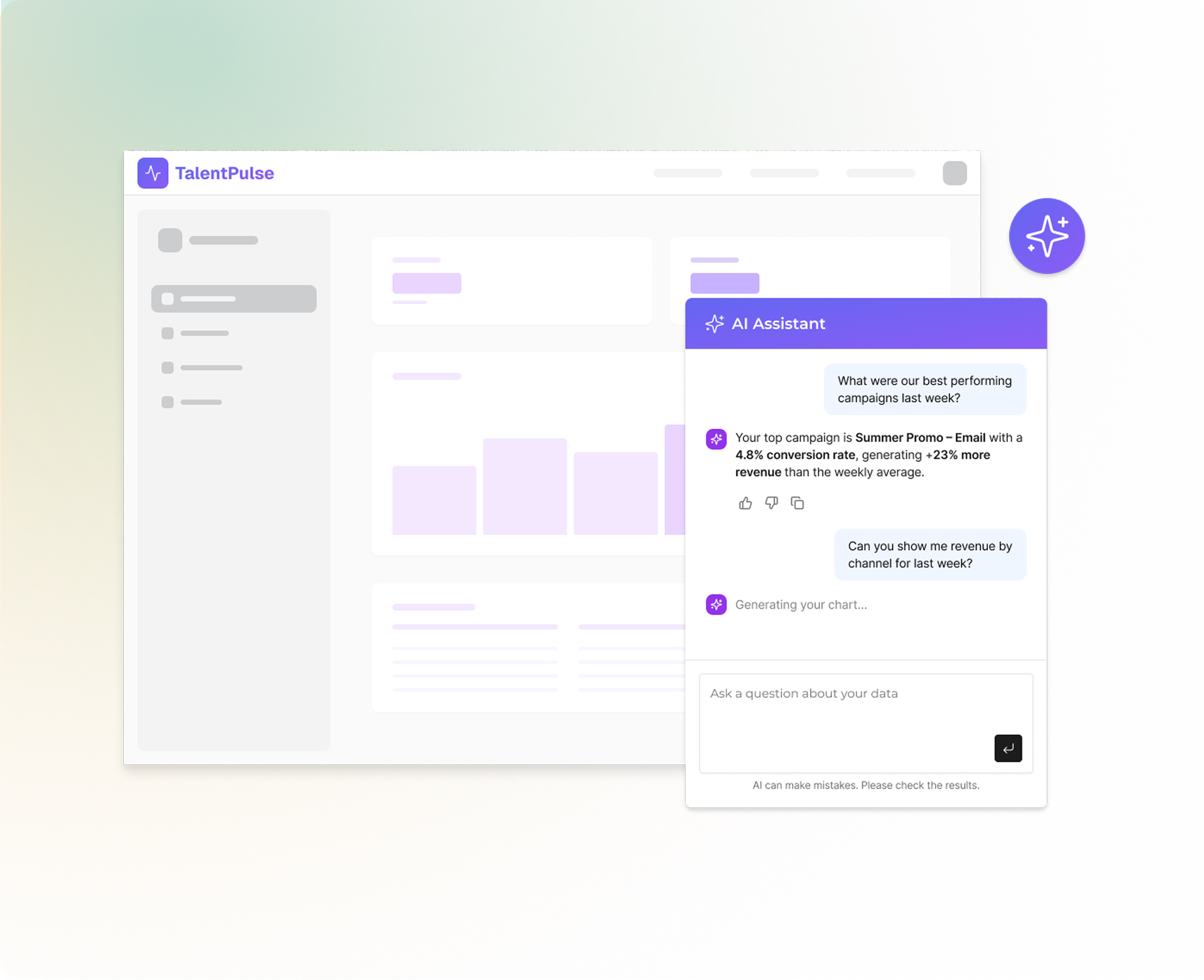
Multi-tenant Example: HR SaaS
In a multi-tenant environment, the integration follows this logic to ensure data privacy:
| Step | Configuration |
|---|---|
| Attribute | customer_id defined in the token. |
| RLS Mapping | Token customer_id maps to database customer_id column. |
| User Query | "How many hires last quarter?". |
| Execution | The query is automatically filtered by customer_id before execution. |
| Result | The user only sees data belonging to their specific organization. |
Conclusion
The AI assistant is now embedded and respects the security boundaries defined by your authentication tokens. Users can perform ad-hoc analysis through natural language while Toucan AI handles the underlying query generation and data visualization.