> For the complete documentation index, see [llms.txt](https://docs.toucanai.cloud/llms.txt). Markdown versions of documentation pages are available by appending `.md` to page URLs; this page is available as [Markdown](https://docs.toucanai.cloud/embed/white-labelling-and-branding/what-can-be-customized.md).
# What can be customized?
{% hint style="info" %}
**Target Audience**: Developers & Non technical users
{% endhint %}
***
### TL;DR
Toucan AI provides a comprehensive white-labeling system that allows for full control over themes, typography, and chart styles through preset palettes or custom JSON configurations.
***
### When to use this
Use this guide to align the visual identity of embedded dashboards and the AI assistant with your host application’s branding, ensuring a unified user experience.
***
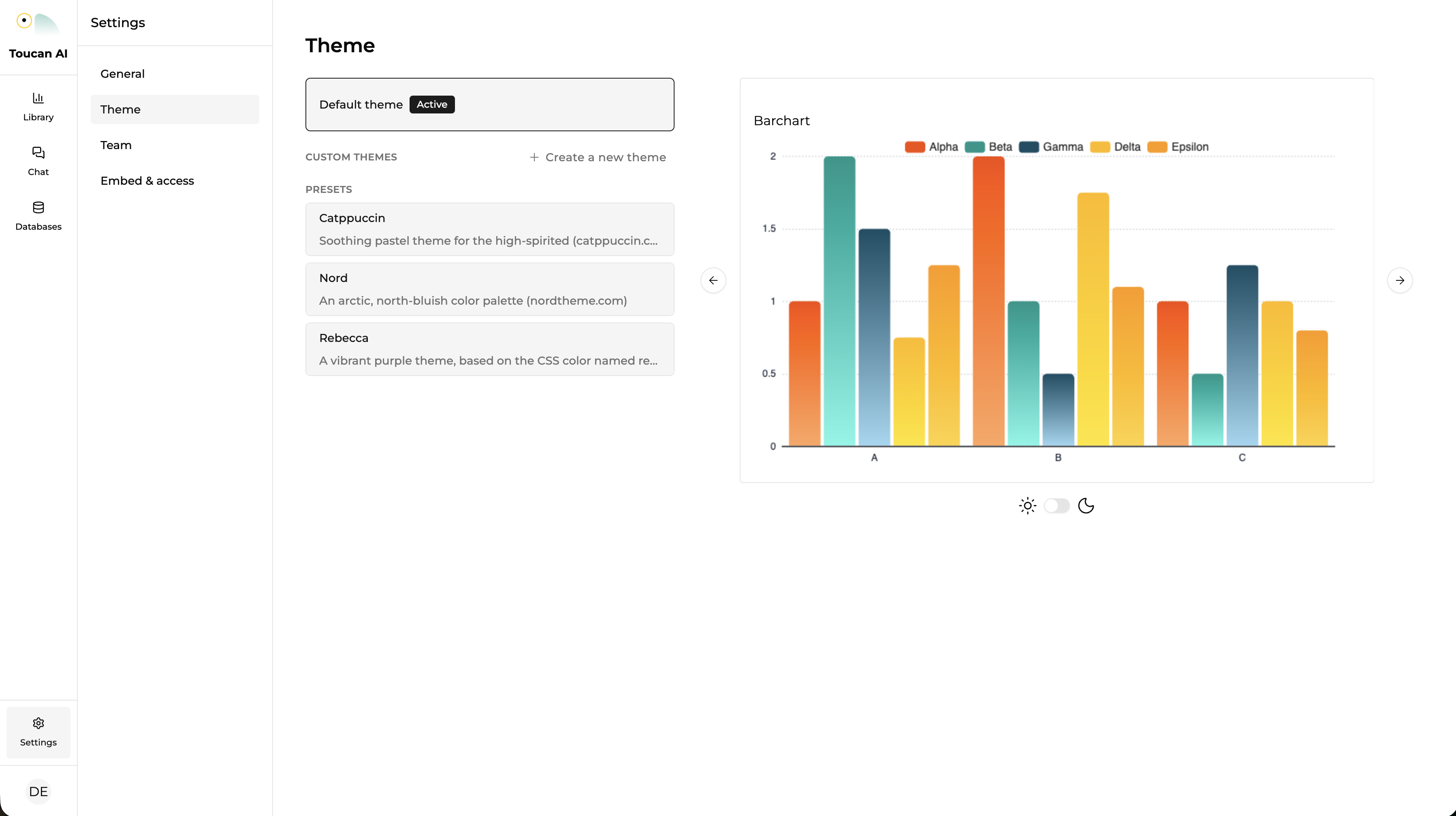
### Themes and colors
Visual styles can be applied at a global level to modify the primary interface elements.
* **Preset Themes**: Access a library of professional color palettes, such as Catppuccin, for immediate deployment.
* **Custom Themes**: Define primary, secondary, accent, and background colors to match specific brand guidelines.
* **Light and Dark Modes**: Configure independent color schemes for both modes, including full control over transitions.
* **Sidebar Customization**: Adjust background, foreground, border, and ring colors for the navigation sidebar.
***
### Typography and chart styles
Typography and visualization details are adjustable to maintain brand voice and accessibility standards.
* **Font Management**: Set custom font families and adjust base, heading, and label sizes via the theme configuration.
* **Chart Aesthetics**: Customize series colors, grid lines, and backgrounds for all visualizations.
* **Component Detailing**: Fine-tune specific chart elements including tooltips, legends, and axes.
***
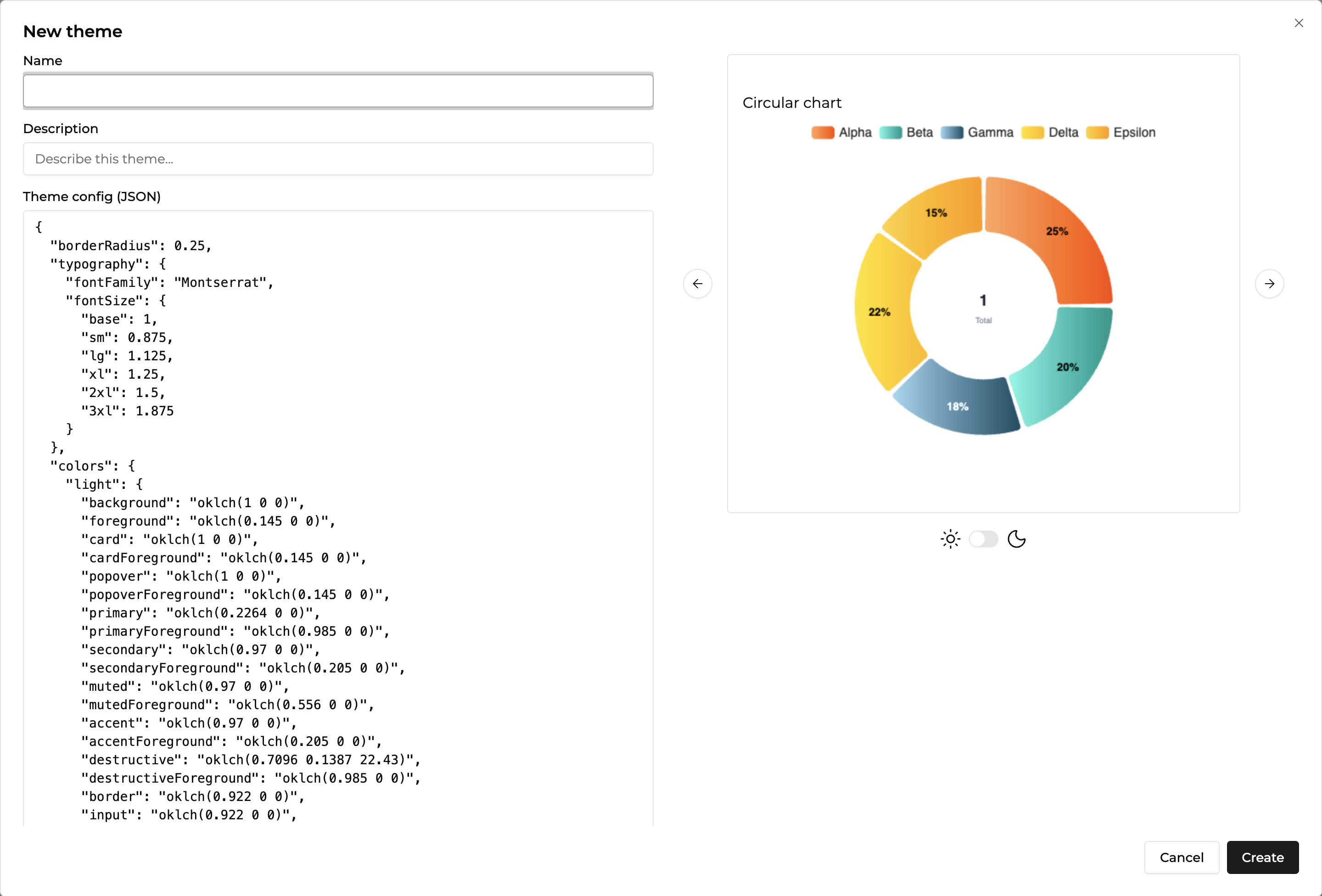
### Deep theme customization
For advanced white-labeling, Toucan AI supports a detailed JSON configuration that overrides standard UI properties.
* **UI Elements**: Define the border radius for all buttons, cards, and popovers.
* **Refined Palettes**: Specify exact hex codes for destructive, muted, and border colors across light and dark themes.
* **Granular Chart Properties**: Control technical properties for bars, lines, and arcs, including width and radius.
#### Example JSON configuration
A custom theme can be uploaded as a JSON file to define the entire visual layer:
```json
{
"borderRadius": 0.25,
"typography": {
"fontFamily": "Montserrat",
"baseSize": "14px"
},
"colors": {
"light": { "accent": "#1A73E8", "background": "#FFFFFF" },
"dark": { "accent": "#8AB4F8", "background": "#121212" }
},
"charts": {
"light": { "series": ["#1A73E8", "#34A853"] },
"dark": { "series": ["#8AB4F8", "#81C995"] }
}
}
```