# Authentication & Tokens
### Objective
In this tutorial, you will learn how to generate your API key and create tokens to embed visualizations or dashboards from Toucan AI into your own software or website. Tokens allow you to control access and filter data based on user attributes.
### Prerequisites
* A Toucan AI [account](https://toucan-toco.gitbook.io/toucan-ai/getting-started/subscribe-to-toucan).
* Access to your profile and security settings in Toucan AI.
### Steps
#### 1. Create Your API Key
To integrate visualizations and interact with graphs via the API, you will need to use an [API key](https://toucan-toco.gitbook.io/toucan-ai/embed/authentication/how-to/generate-an-api-key). This key is used to securely generate tokens that allow for embedding dashboards and charts.
* **Access your profile**: In the bottom left of your Toucan AI interface, click on the two letters representing your user profile, just above the logout button.
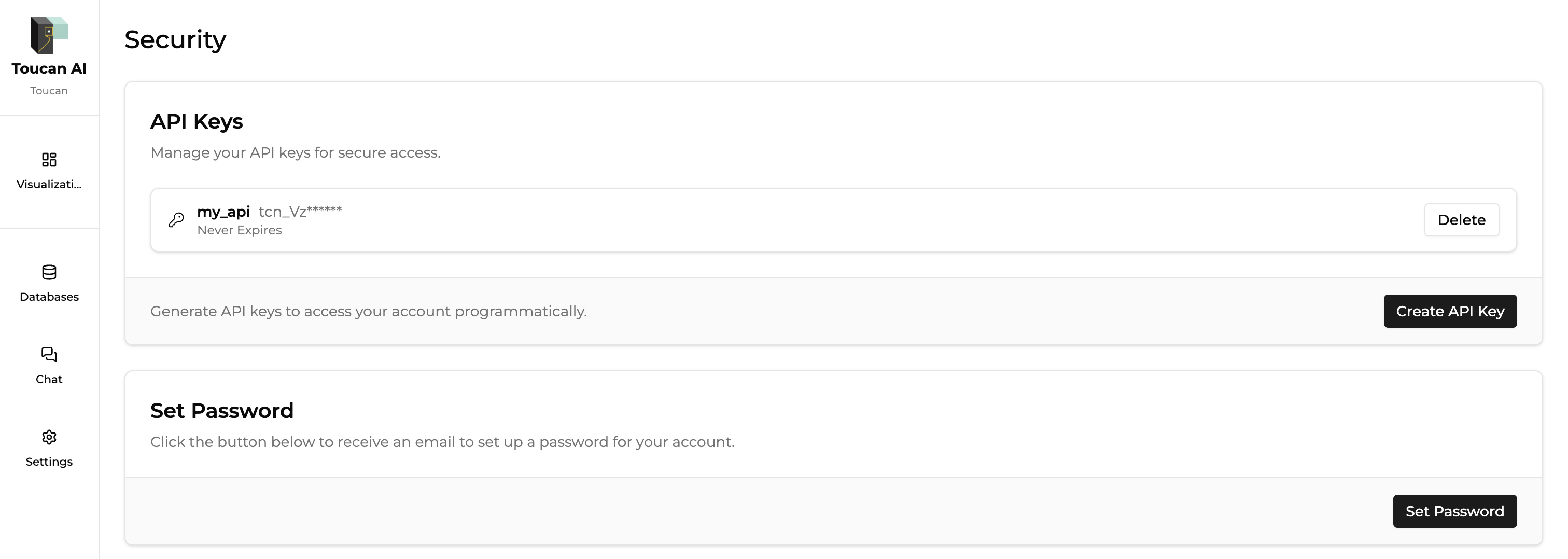
* **Navigate to Security**: scroll down to the **Security** section
* **Generate your API key**: In the **API Keys** section, click the **Create API Key** button.
* A new API key will be displayed. **Store it securely** in a password manager, as it is essential for generating tokens and securely calling the API.
Your API key is now ready to use for generating tokens that can be used to embed your visualizations.
#### 2. Generate Tokens for Embedding
After you have your API key, you can generate tokens that control access to your visualizations and dashboards. Tokens are used to filter data based on user attributes and ensure secure access.
* **Go to Settings**: Click on the **Settings** button in the menu.
* **Select the Embed tab**: In the settings menu, click on the **Embed** tab to access [token generation](https://toucan-toco.gitbook.io/toucan-ai/embed/authentication) and related settings.
#### 3. Token Settings
In the **Embed** tab, you will find several settings:
* **Authorized Origins**: This section defines the URLs where Toucan AI is allowed to be embedded. Only authorized origins will be able to use the generated tokens.
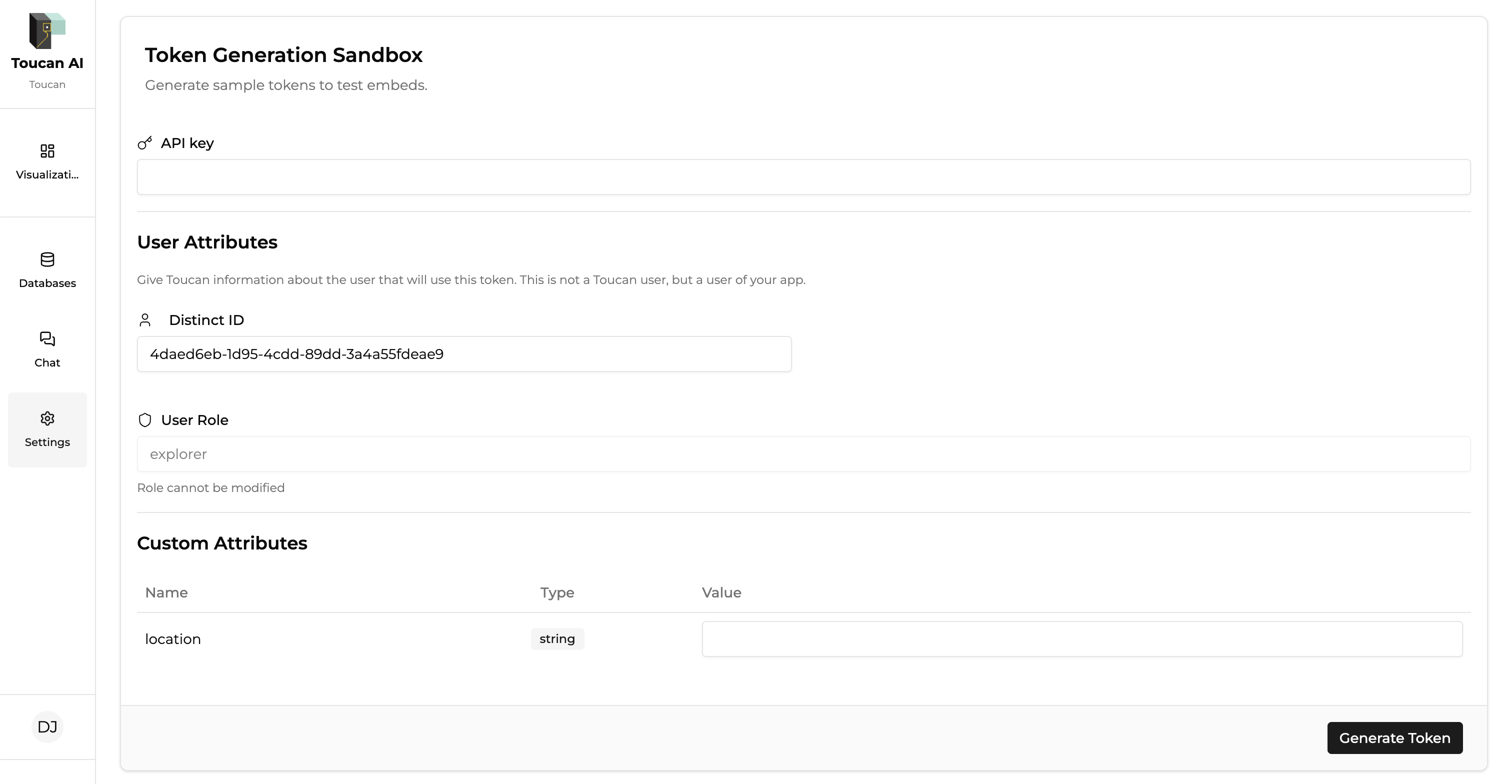
* **Token Attributes**: Here, you can see the default attributes carried by Toucan AI, such as the **User ID** and **Role**, which are required for token generation. You can also add **custom attributes** to filter data based on user-specific criteria (e.g., location, department, etc.).
* **Token Generation Sandbox**: This is where you can generate a test token to use for embedding dashboards or charts.
* **Token Introspection**: You can use this section to [inspect a token](https://toucan-toco.gitbook.io/toucan-ai/embed/authentication/how-to/token-introspection) that has been previously generated to see the information it contains.
#### 4. Generate a Token
* In the **Token Generation Sandbox** section, paste your API key into the provided field.
* Click on the **Generate Token** button. This will [create a token that is valid for a certain period](https://toucan-toco.gitbook.io/toucan-ai/embed/authentication/how-to/generate-a-sandbox-token), allowing you to test embedding. (1 hour by default)
* **Copy the token**: Once generated, copy the token. You will use it to embed your dashboard or charts in a web page or software.
#### 5. Use the Token for Embedding
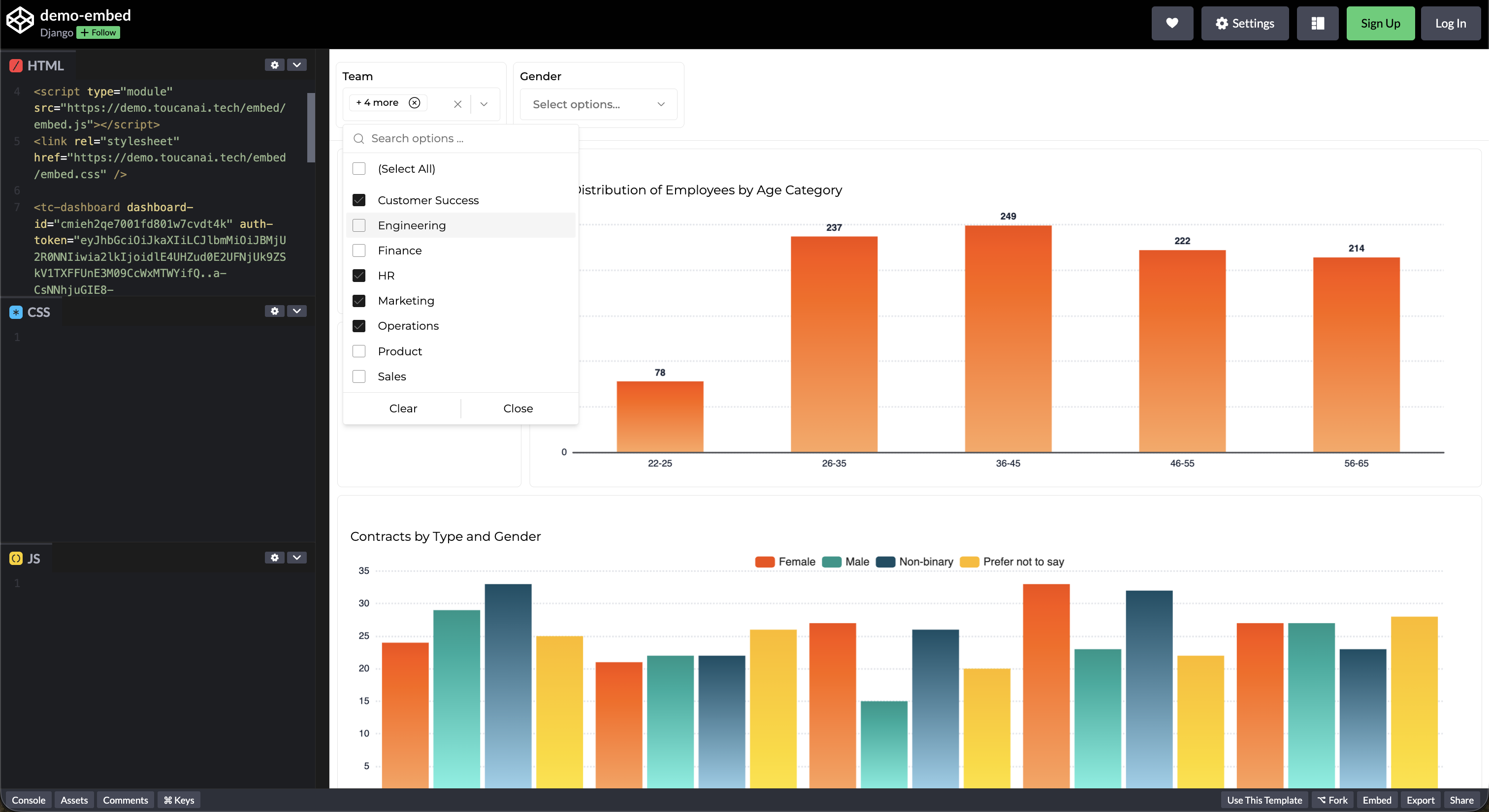
* You now have a token that can be used to securely embed your visualizations in your own environment.
* The token will allow you to link the dashboard and filter data according to the attributes you’ve configured with the Row Level Security (if configured).
### Conclusion
Congratulations! You've successfully created a test token for embedding charts and dashboards with Toucan AI. You can now use this token in the next steps of your integration process!
Suggested reading:
* [Authentication](https://toucan-toco.gitbook.io/toucan-ai/embed/authentication)
* [Token-based access](https://toucan-toco.gitbook.io/toucan-ai/embed/authentication/token-based-access)
* [How-To: Apply Row Level Security to your databse](https://toucan-toco.gitbook.io/toucan-ai/embed/permissions-and-row-level-security/how-to/apply-rls-to-your-database)